Optic
The design tool for the AI era.
Set the rules first: palette, type, layout and a Never list. Then design on a real canvas alongside your own Claude, and build what you made without waiting on a handoff.
$20 a month or $180 a year after the trial. No card needed.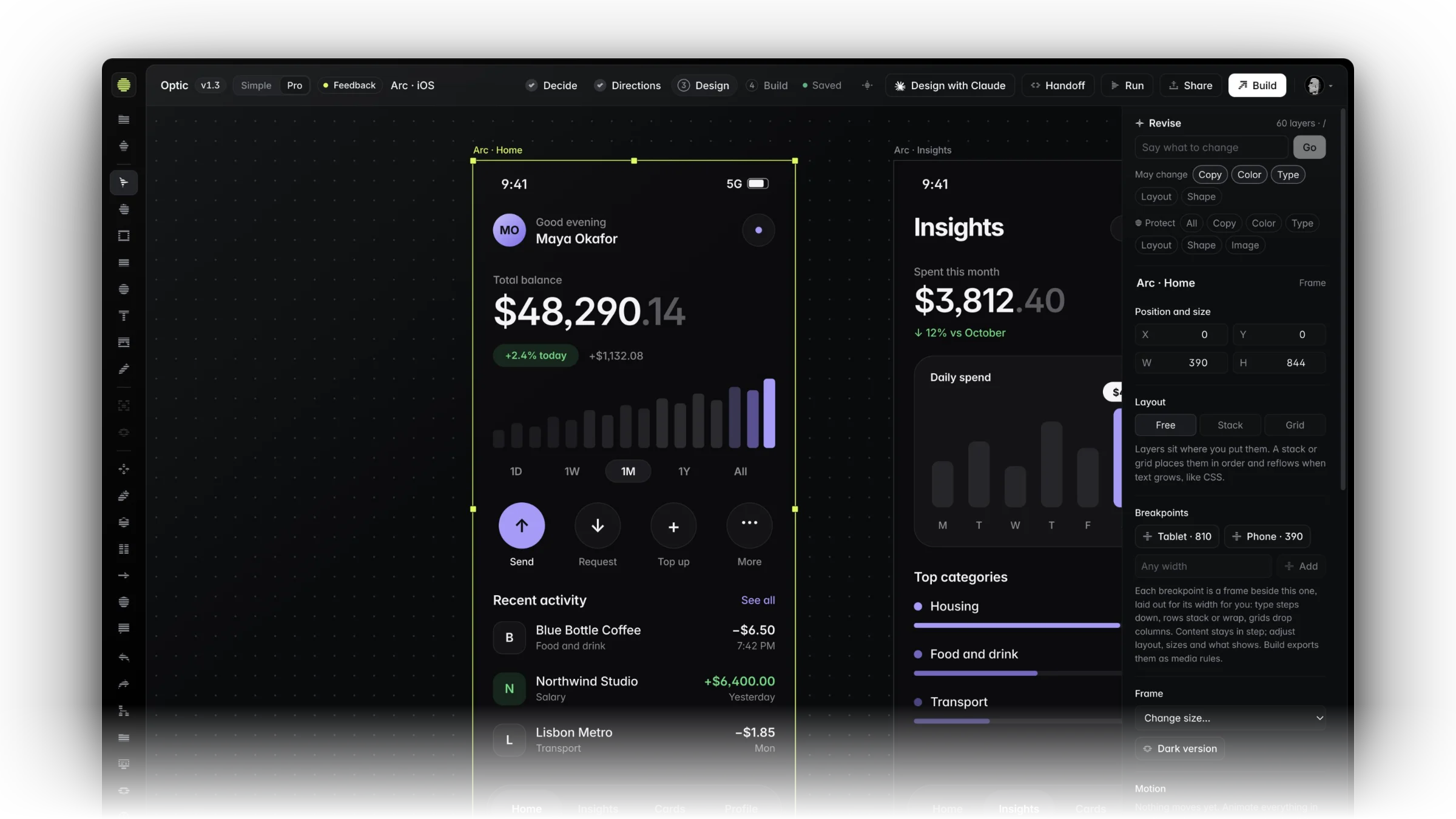
A canvas that keeps up with you.
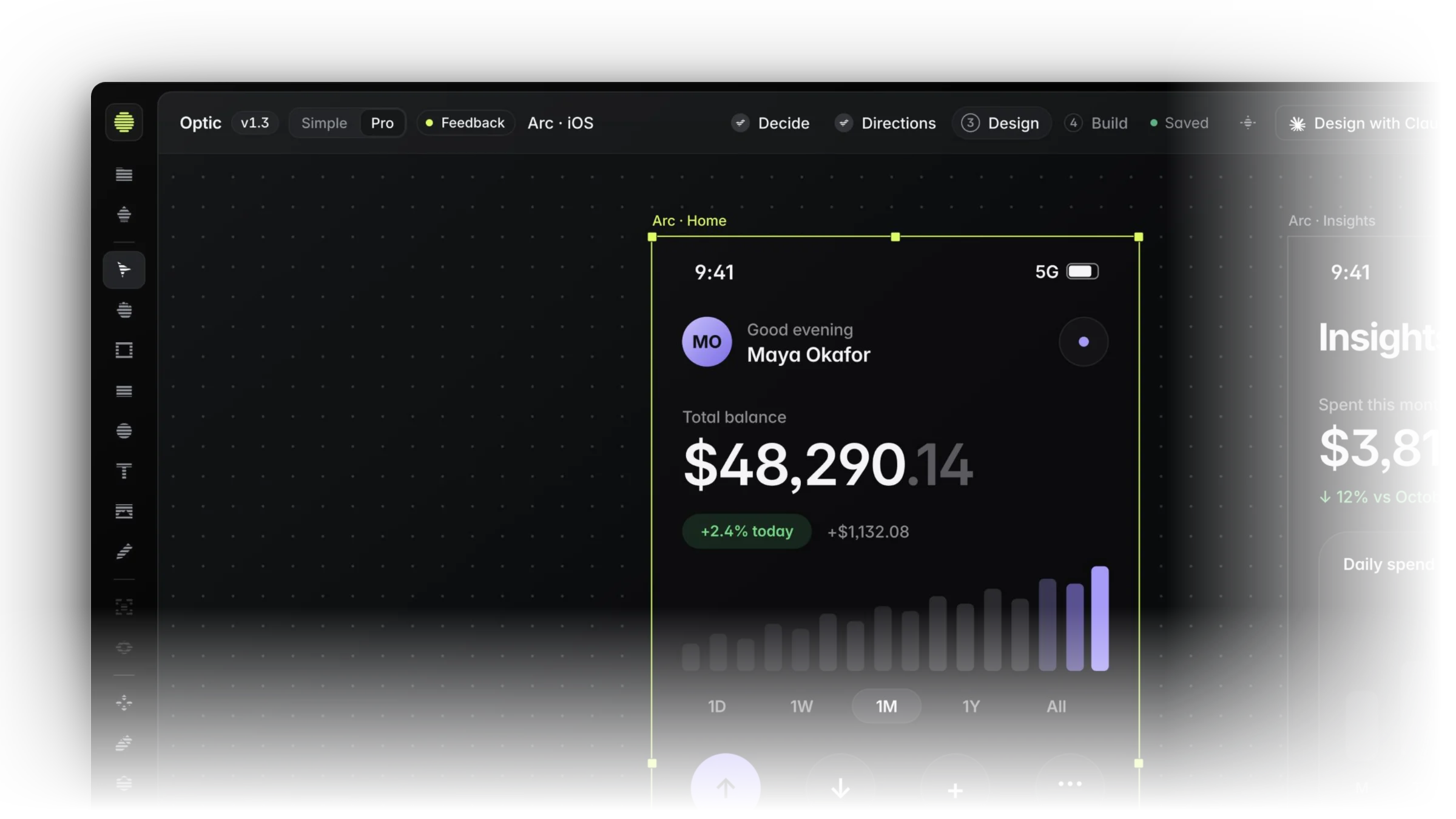
Frames, stacks and grids that behave like the web. Every layer is selectable, every value is in reach, and the grid stays out of the way.
- Frames inside frames, with breakpoints that lay themselves out
- Quick actions under every frame: states, next screen, an accessibility pass
- Every shortcut listed where you work
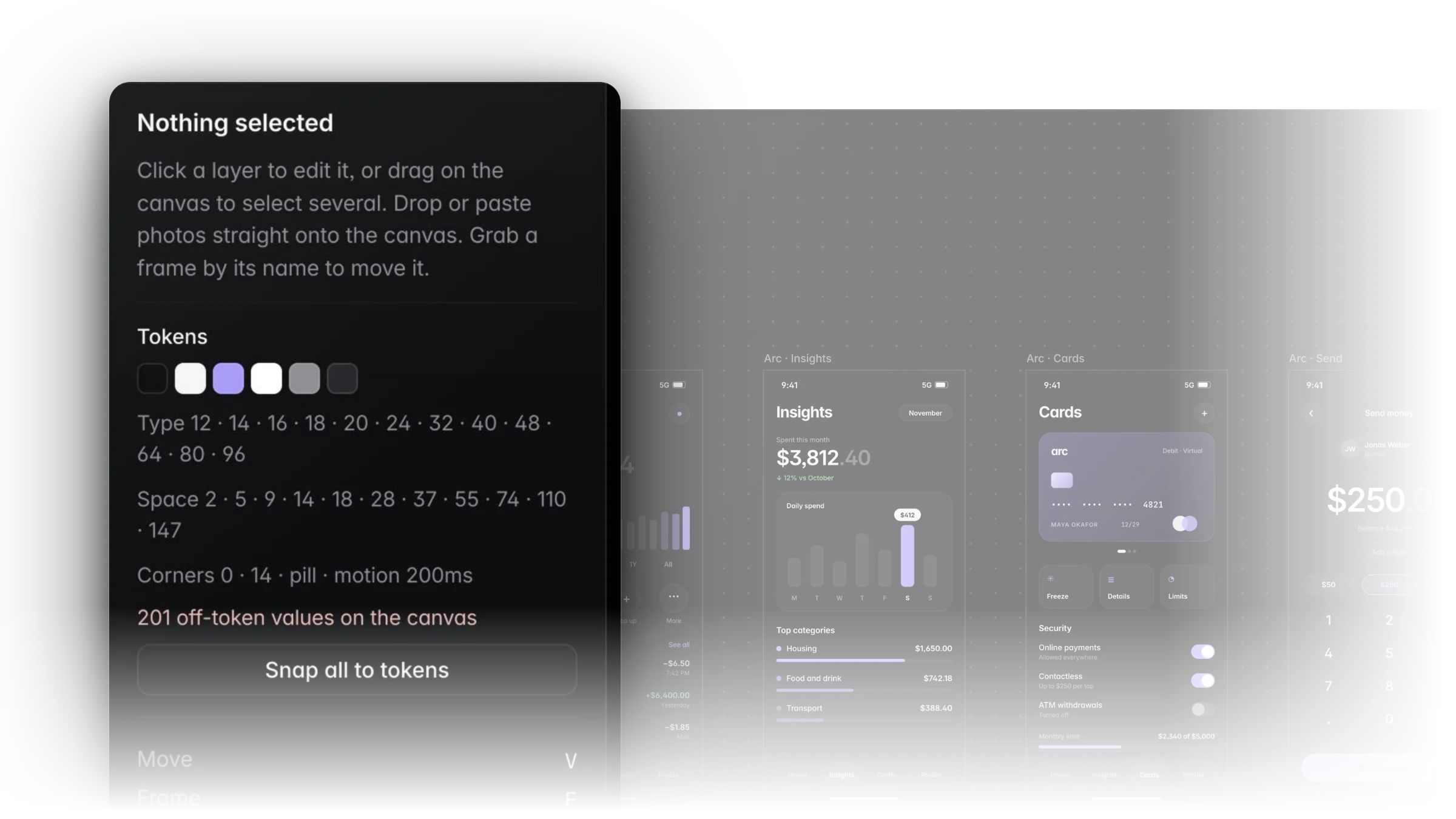
Every value, on a token.
Color, type, spacing and corners come from your decisions. Off-token values are counted on the canvas, and one click snaps them back.
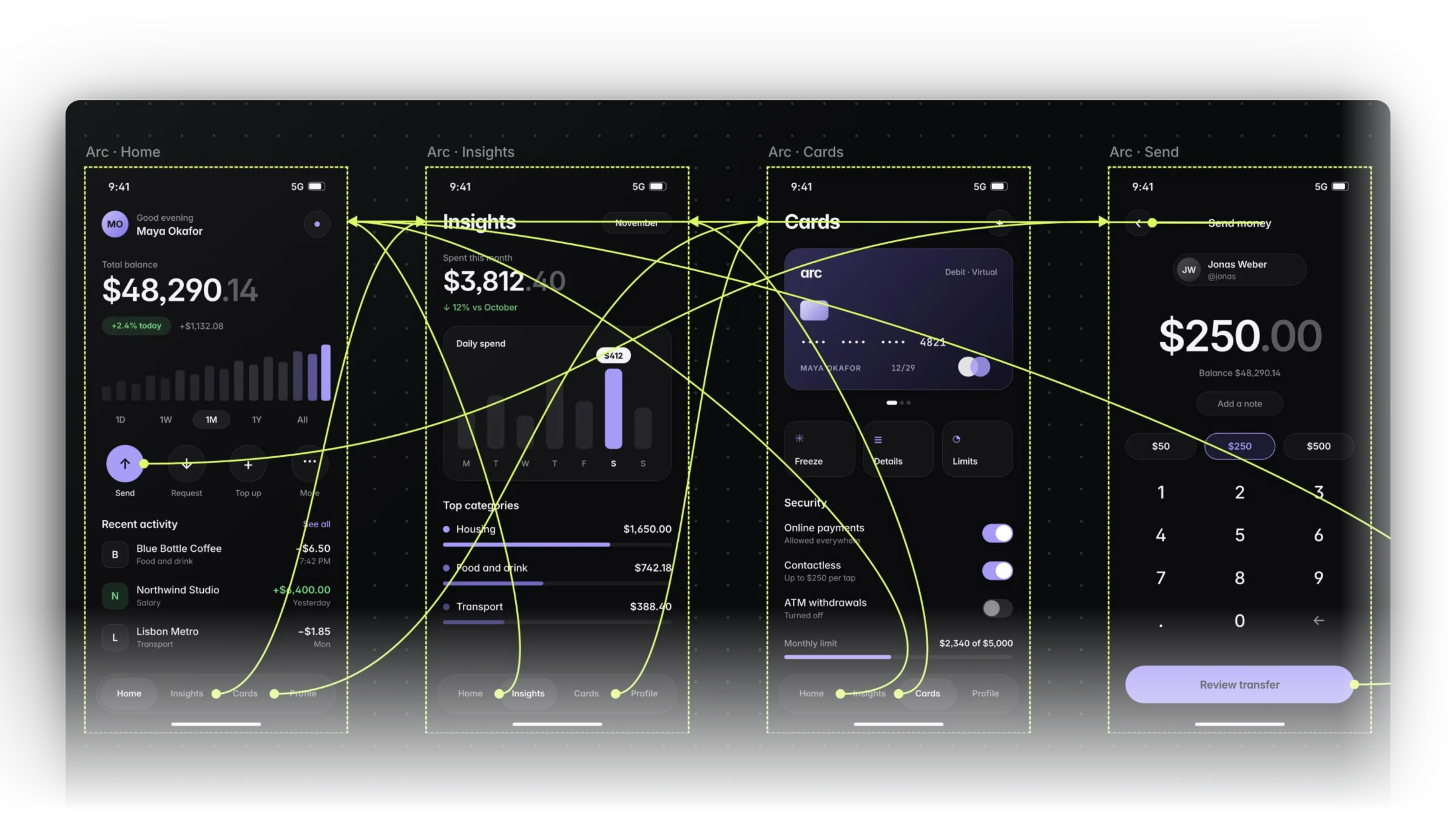
Wire the screens together.
Link any layer to any frame and see the whole flow on the canvas. Press Run to click through it the way people will.
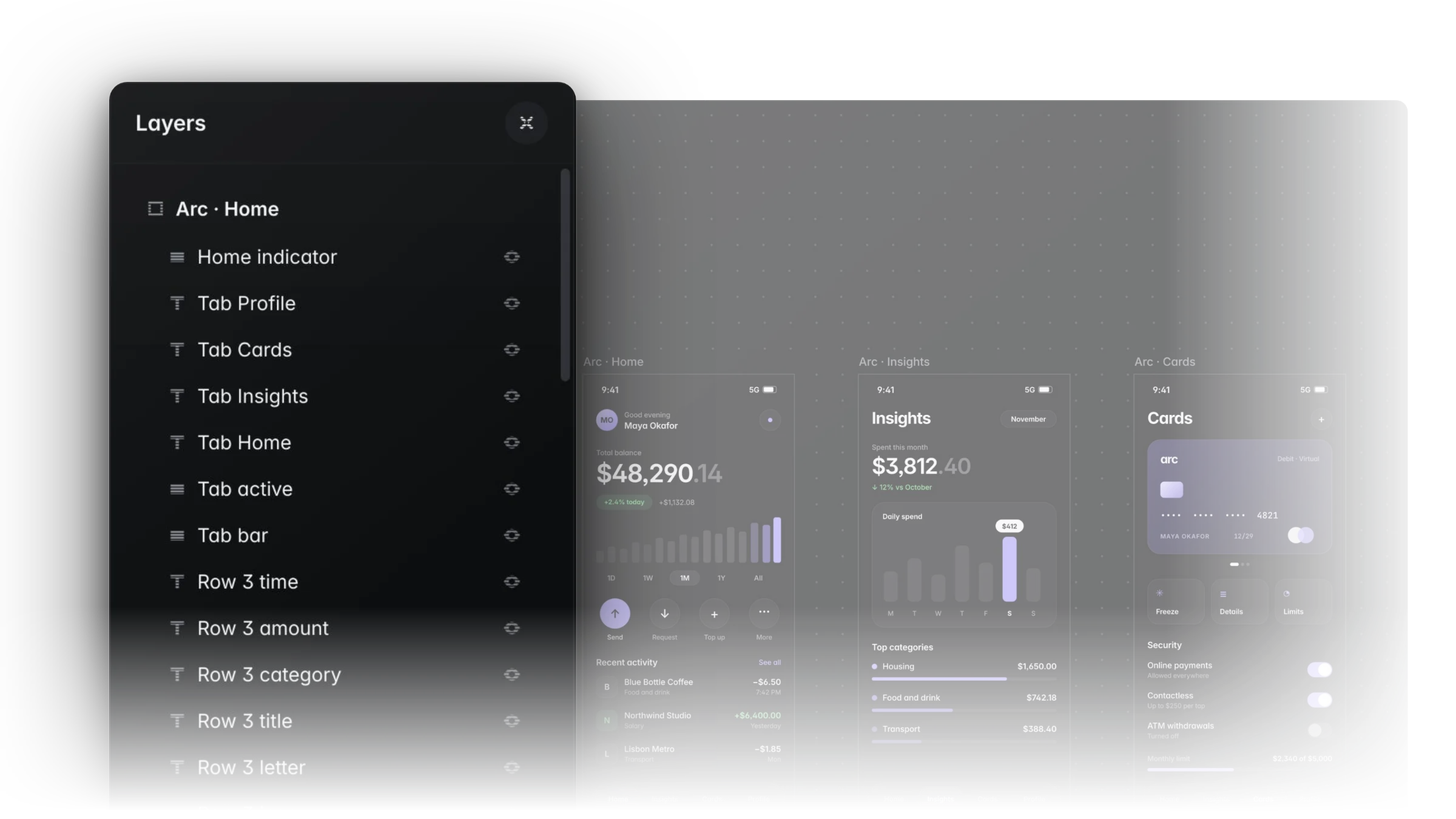
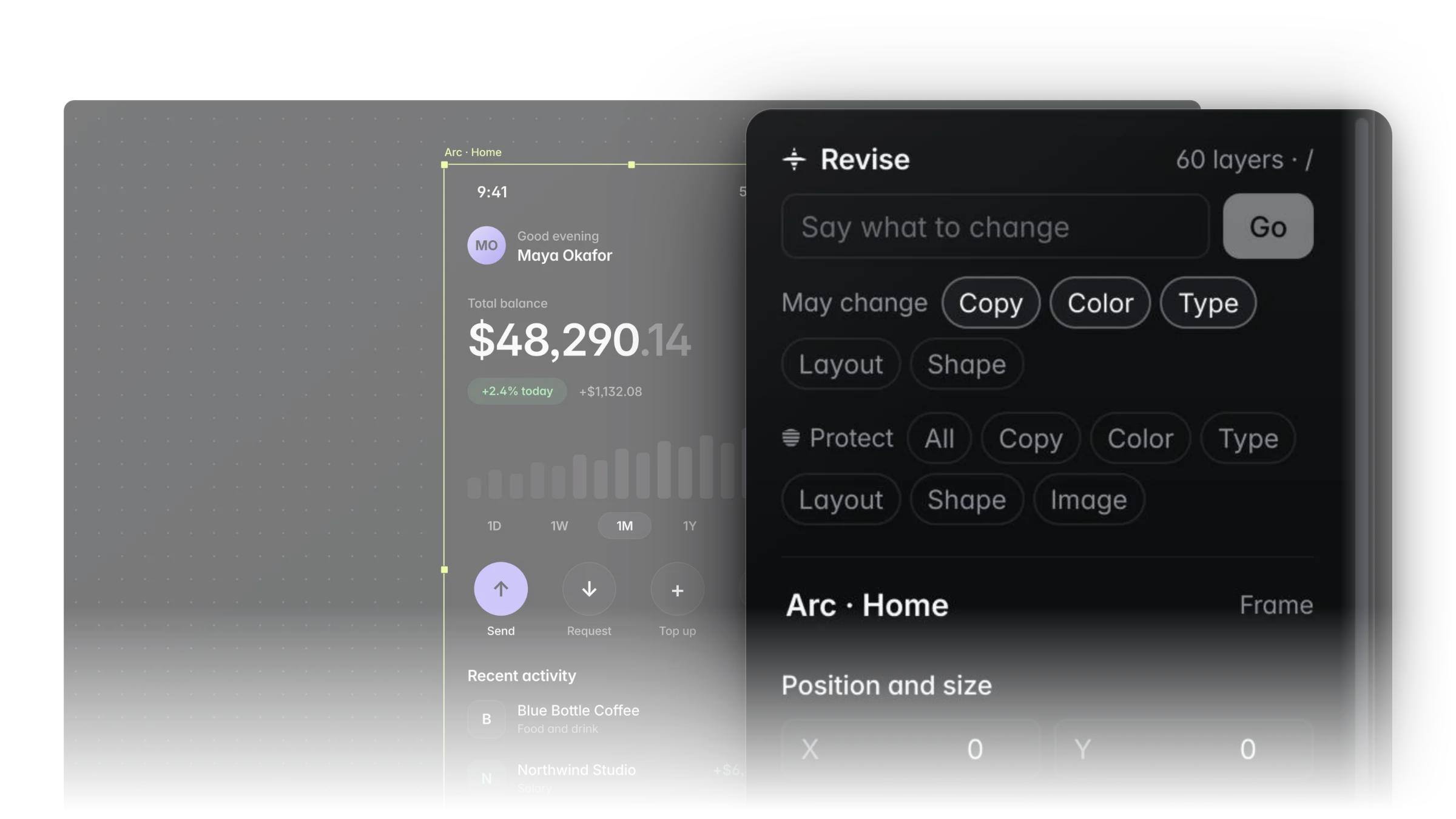
Named, ordered, under control.
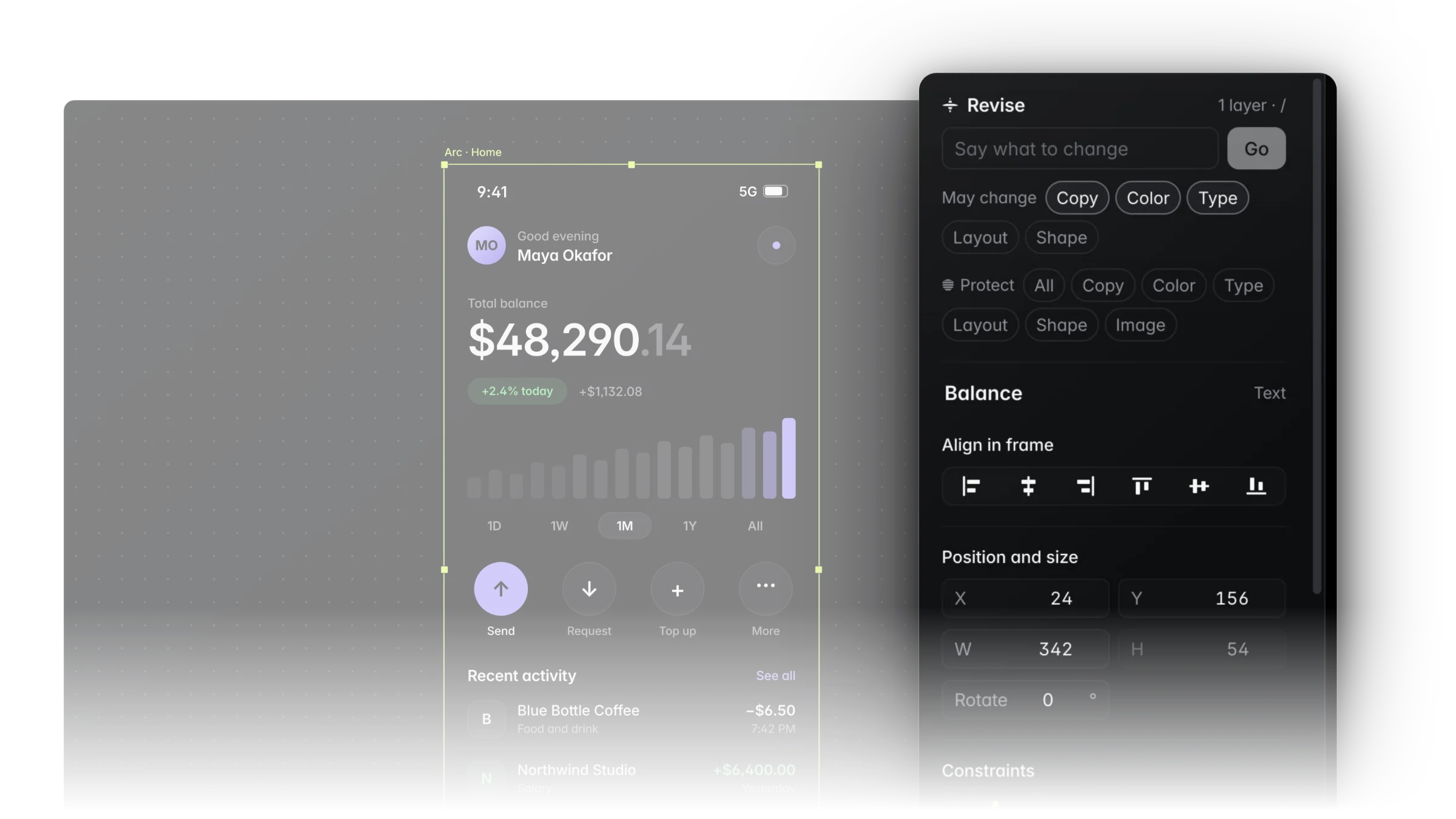
Every layer has a name and a place. Revise a selection in plain words, and say exactly what may change and what is protected.
Design alongside your own Claude.
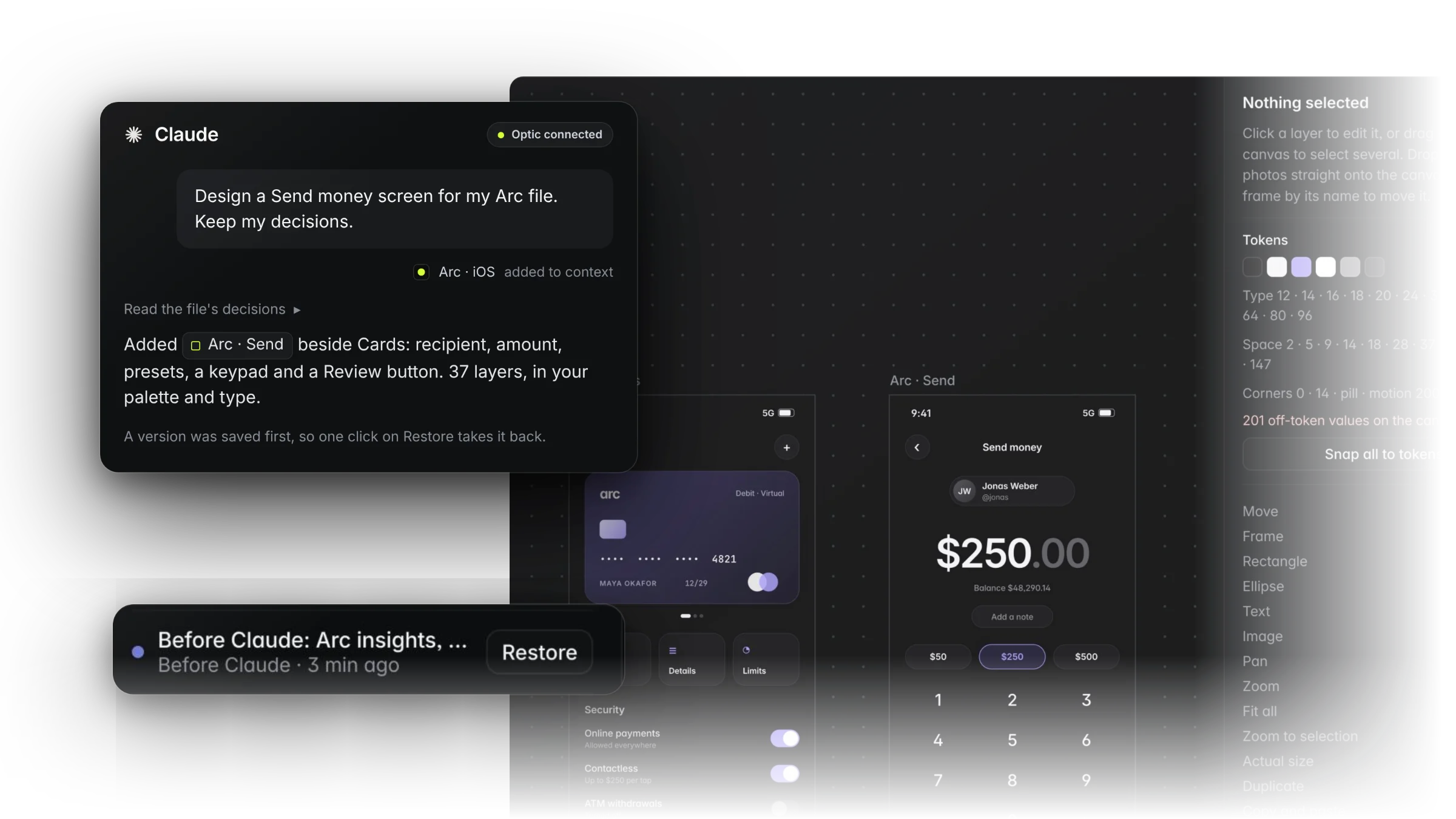
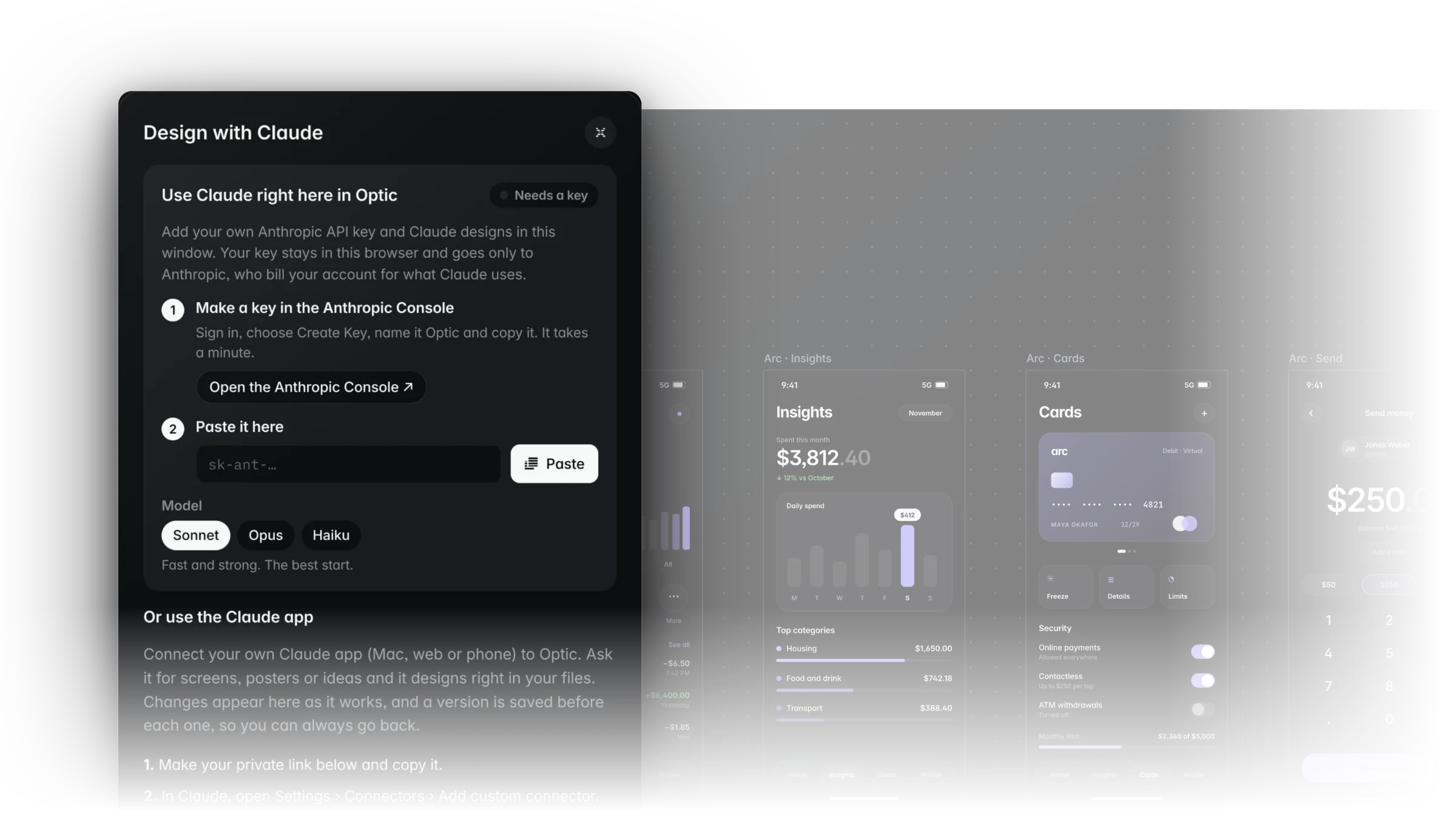
Connect the Claude app or add your key. Claude reads the decisions behind the file and designs right in it. A version is saved before every change, so anything it does undoes in one click.
- Works with the Claude plan you already have
- Changes land in your open file, with no export and no paste
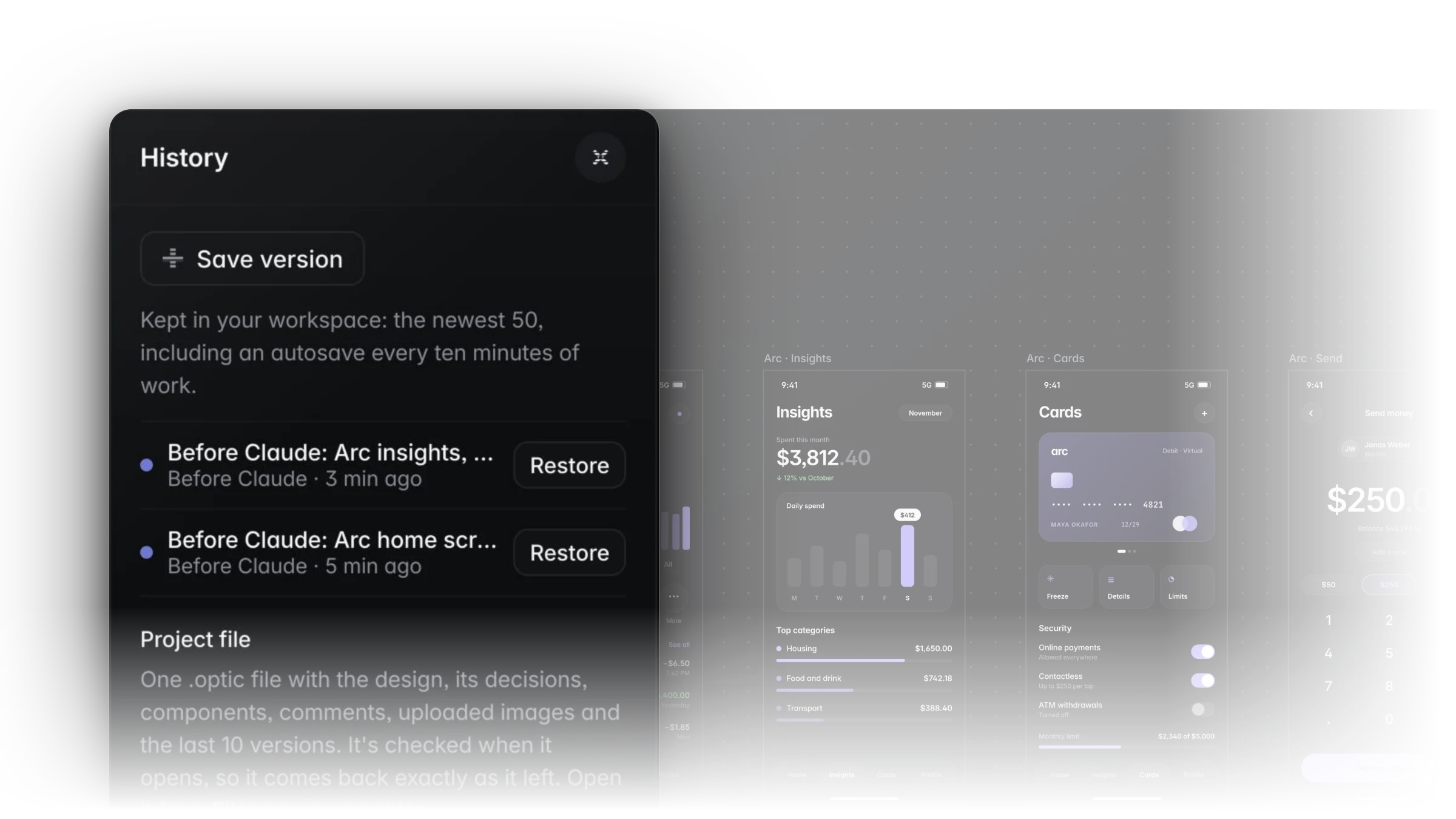
- AI Undo: one click on Restore takes a change back
Ship it yourself.
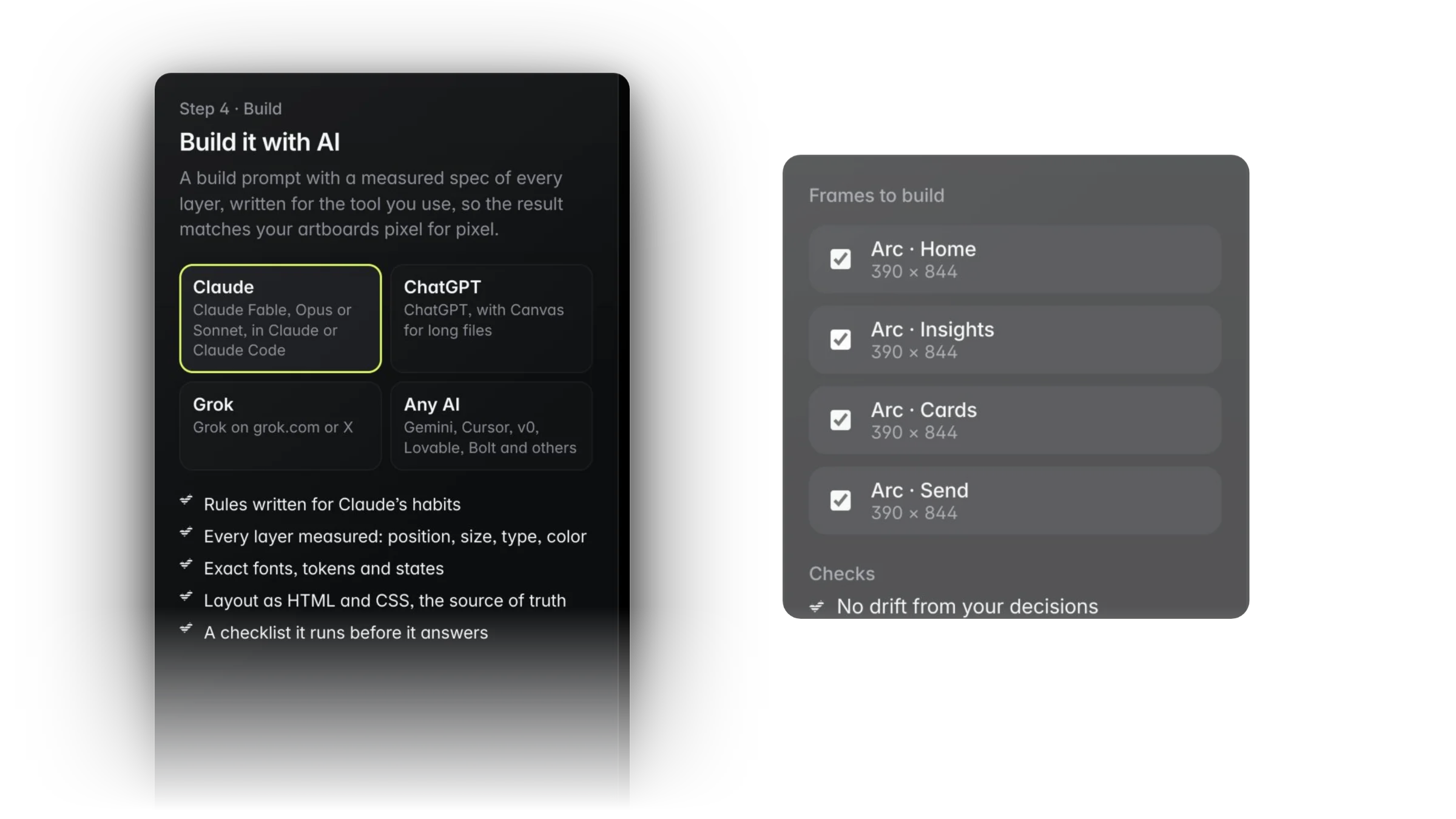
Build checks every frame against your decisions and for text contrast. Then take a build prompt with a measured spec of every layer, real HTML and CSS, your tokens, or one Framer component.
Optic for Mac.
All of Optic in its own window, with your files, Design with Claude and everything else, kept up to date automatically. Free to download.


What no other design tool has.
Decisions come first
Set the palette, type, corners, depth and layout before anything is drafted. Lock the ones that matter.A Never list
Name what you never want in the work. Every draft is checked against it.Three directions, inside your rules
Get three first versions that keep your decisions, then pick one, branch it or keep parts of it.Your taste, learned privately
Optic learns what you keep and reject, so your next drafts start closer. Save it as a taste pack to share.Start from great work, with credit
Anchor on Archive work whose makers opened it to drafts, and lift parts into your frame. Credit stays attached.One file, two modes
Simple mode for posts and print, Pro mode for UI and web. Same file, switch any time.Print-shop files built in
Bleed, crop, registration marks, colour bars and page info at 300 dpi. No plugin.A drift check before you ship
Build checks every frame against your decisions and for text contrast, and fixes drift in one click.Build to Framer in one paste
Your frames become one Framer component with every text and photo editable. Or hand Claude Fable a ready build brief.Notes for Claude, on the canvas
Pin notes For Claude where the change belongs. Claude answers on the note, and every change it makes undoes in one click.A real design tool for UI and web.
From the first decision to a lossless export, one card at a time. Swipe or use the arrows.Watch a page get made, start to finish.
Twelve minutes in the real app. One project, from the first decision to a build-ready page. Pick a chapter to jump in.One membership. Every tool.
Pro mode comes with the Visual Explorer Pro membership, which also covers the Archive, Jobs and Assets. Try it free for 7 days, with no card needed.
See all Pro benefits- Every tool for UI and web design
- Unlimited files
- Design with Claude and AI Undo
- Build to code or to Framer
- The Mac app
Optic Pro, answered.
Does Optic make the tablet and phone layouts for me?+
Yes. In Pro mode, add a breakpoint at Tablet, Phone or any width and Optic lays the design out for it: type steps down, margins and gaps tighten, rows that no longer fit stack or wrap, and grids drop columns. A top bar that can’t fit keeps its logo and button and hides the links between. Adjust anything by hand, or choose Lay out again to start over from the design. Text, colors and images stay in step with the design, and Build exports each breakpoint as a media rule.
Is there a Mac app?+
Yes. Optic for Mac is all of Optic in its own window, with automatic updates. Download it from the Optic page for Apple silicon or Intel. The first time you open it, macOS may ask you to allow it in System Settings › Privacy & Security › Open Anyway.
Can I design with Claude in Optic?+
Yes, two ways. It works out of the box with the Claude membership you already have: in Optic, open Design with Claude, make a private link and add it to your Claude app as a custom connector. Or, for the seamless version, paste your own Anthropic API key in Design with Claude and Claude designs right inside Optic, so you never leave the app. Either way, Claude reads your files and designs new frames in them, AI Undo saves a version before every change, and layers you lock or mark Keep this are never touched.
Can I keep designing while Claude works?+
Yes. That’s the point. Claude’s changes merge into your canvas live, layer by layer, while you keep working. If you’re editing a layer when Claude’s change arrives, your edit stays. Everything Claude makes is ordinary Optic layers, so you can select, restyle and build on it right away, and AI Undo takes back only Claude’s part if you don’t like it.
What is AI Undo?+
AI Undo is how Optic keeps you in charge of AI. Before Claude makes any change, Optic saves a version of your file. Claude’s changes are highlighted on the canvas so you can see exactly what it touched, and Undo Claude’s change puts the file back exactly as it was in one click. It works the same whether you connect your Claude app or use your own API key.
How do I add my own Claude API key?+
In Optic, open Design with Claude. Choose Open the Anthropic Console, create a key and copy it, then paste it into Optic. Optic checks the key with Anthropic on the spot and tells you if something is off. Your key stays in your browser and goes only to Anthropic, who bill your account for what Claude uses. You can replace or remove it any time.
Is Optic designed for the AI era?+
Yes, from the ground up. Your decisions and Never list are rules that every AI draft has to follow. Three directions are drafted inside them and checked against the Never list. Your own Claude reads and designs in your files through a private connector, and a version is saved before every AI change so it undoes in one click. When you're done, Build turns the design into prompts and code that AI agents can build from. AI does the legwork. Your taste decides.
Can Optic write prompts for my AI tools?+
Yes, automatically. Build packages your frames into one ready prompt for Claude Fable: a build brief, the layout as HTML and CSS, your decisions as rules it has to keep, and design tokens as JSON, copied in one click. Field Notes boards export as a one-paragraph prompt for any AI image or design tool, or as a full brief for Claude and other agents. And the Claude hub writes the prompt for you, with your file and selection already in it.
How does Optic compare with other design tools?+
Optic has the systems designers rely on: components and variants, auto layout, variables with modes, shared libraries, prototypes, handoff and live collaboration. What only Optic has is a way to design with AI while your decisions stay in charge: decisions and a Never list set first, three directions drafted inside them, a drift check before you build, and Build to Framer.
Do I own what I make?+
Yes. Your files are yours. Download any file as a .optic project whenever you like, or export it as PNG, PDF, SVG, MP4, HTML and CSS.
What is a .optic file?+
A .optic file is your Optic project as a single file you keep on your own computer. It holds everything in the file: every frame, layer, component, variable, text style and note, plus its saved versions. Download one from Optic whenever you like, and open it again from your Files page with Open .optic file. It comes back as a new file in your workspace. Under the hood, it is gzip-compressed JSON. A short header names the format and its version, the Optic document schema, the file name and when it was made. The payload holds the design as structured data, its saved versions, and any embedded images, each stored once and keyed by its SHA-256 hash. Images linked from the web stay as links. A SHA-256 checksum of the payload is stored alongside it, and Optic checks it on open, so a damaged or edited file is refused instead of half-loaded. Files up to 60 MB open, and a file saved by a newer Optic asks you to update first.
Why download a .optic file?+
It gives you a complete copy of your work that you own. It's a backup that doesn't depend on your workspace. It frees up room, because downloaded files don't count toward the 10 files on a free account. It keeps everything, including components, styles, notes and saved versions, so it's the whole project rather than a flat export. It's easy to hand to a client or teammate, who opens it as their own editable file. And because it's plain JSON in a documented structure, other tools can read it, so you're never locked in. Two things to know: images linked from the web stay links and need a connection, and the file is a copy from the moment you download it, so download a fresh one after each round of work.
Can I bring in designs from other tools?+
Yes. In Pro mode, export or copy any frame as SVG from the tool you use now, then drop the file on the canvas or paste. Optic turns it into real layers: rectangles, ellipses, text, images, gradients and vector paths, with groups and names kept. Design tokens come in too, from a tokens JSON file or a stylesheet's CSS variables, as variables with light and dark modes. Snapshot copies a live website the same way.
Is Optic free?+
Simple mode is free with a Visual Explorer account. Pro mode, with every tool for UI and web design and unlimited files, comes with Pro: $20 a month or $180 a year, after a 7-day free trial with no card needed.
What’s the difference between Simple and Pro?+
Simple keeps templates, text, elements, photos, your brand kit, resize and downloads in view, for social media and print. Pro shows every tool, for websites, app screens and pitch slides. It’s the same file, so you can switch from the top bar any time.
What file types can I download?+
PNG, JPG, PDF, WebP and SVG, at up to 4x. In Pro mode you can also export real HTML and CSS, or build your design straight to Framer.
Do I need to install anything?+
No. Optic runs in the browser. Simple works on a phone, tablet or computer, and Pro mode needs a laptop or desktop. There is a Mac app if you want one. Free accounts save up to 10 files, and Pro members have no limit.